Edit your talking-head videos the Woofid way
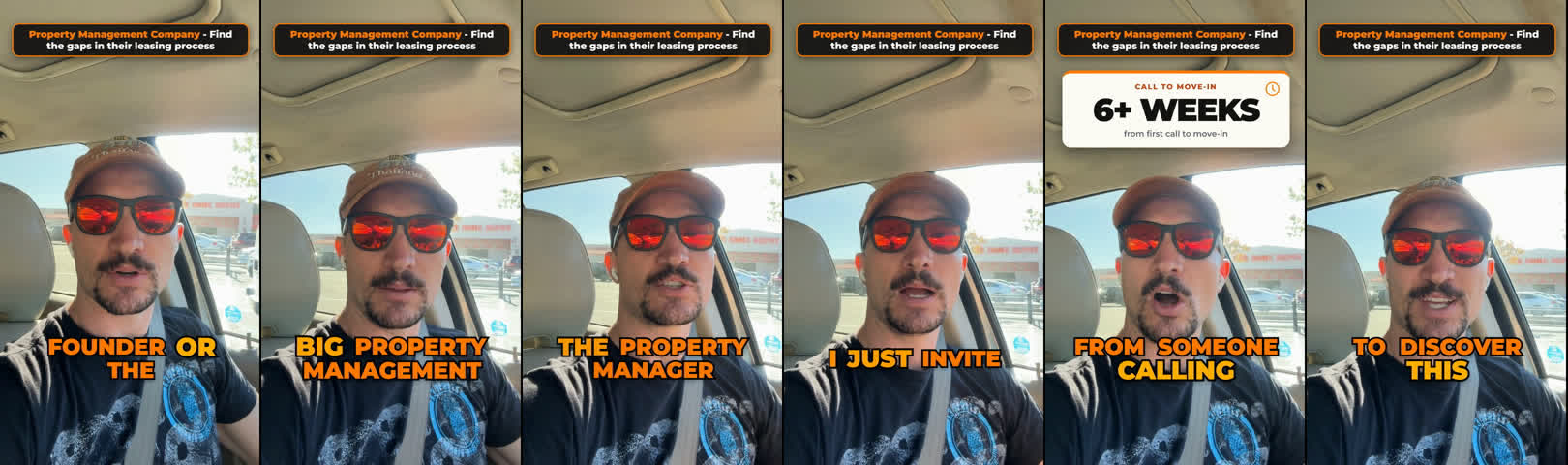
A PDF that teaches your Claude Code to produce the Woofid edit: bright orange word-by-word captions, a headline box across the top, graphics that appear when you say the matching thing, and a matching thumbnail.
0 downloads ·
0 copied the text
How to use it
- Film yourself on your phone, held vertical, talking to the camera. One to three minutes works best.
- Open Claude Code in an empty folder, drag in this PDF and your video, and type
Follow the Woofid Edit Kit PDF to edit my video. - Confirm the headline text when it asks. The finished video and its thumbnail land in the
outfolder.
The look is locked inside the PDF's script, so every creator's video matches Woofid's. Claude Code only decides where the video starts and ends, the headline, and which graphics appear when.
Don't want to download? Copy and paste this into your chat session
The whole PDF as text, script included. Copy it, paste it into Claude Code with your video, and send.
Want AI doing real work in your business?
This kit is one example of what Claude Code can do on its own. Woofid sets up AI that handles the manual work in your business, and teaches your team to run it.